
News tab
This Week in Korea
Short Korean news stories we write from announcements by public bodies and widely reported facts. Each comes in two levels, Easy and Standard (news style); switch between them at the top of the list.
How to use OtoOi Reader
Short dramas told as Korean forum posts, train trips to cities around Korea, and news written from real events, all written by OtoOi with audio for every sentence. Open the English translation, word meanings and grammar notes only where you need them. As you mark the words you know, you can see how many TOPIK words you've learned, level by level.
No sign-up. You don't need to give a name or an email address.
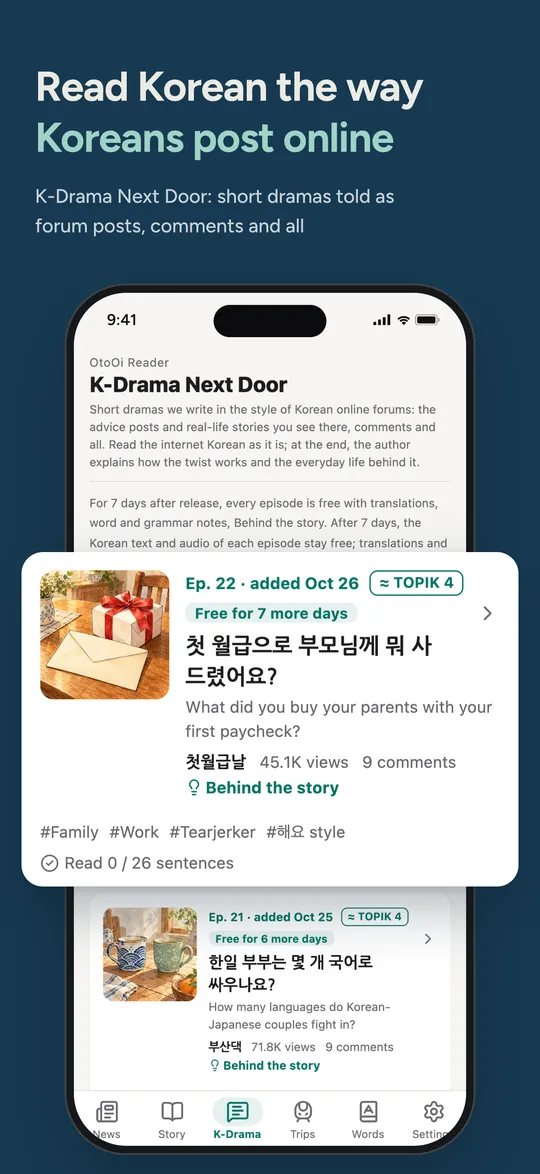
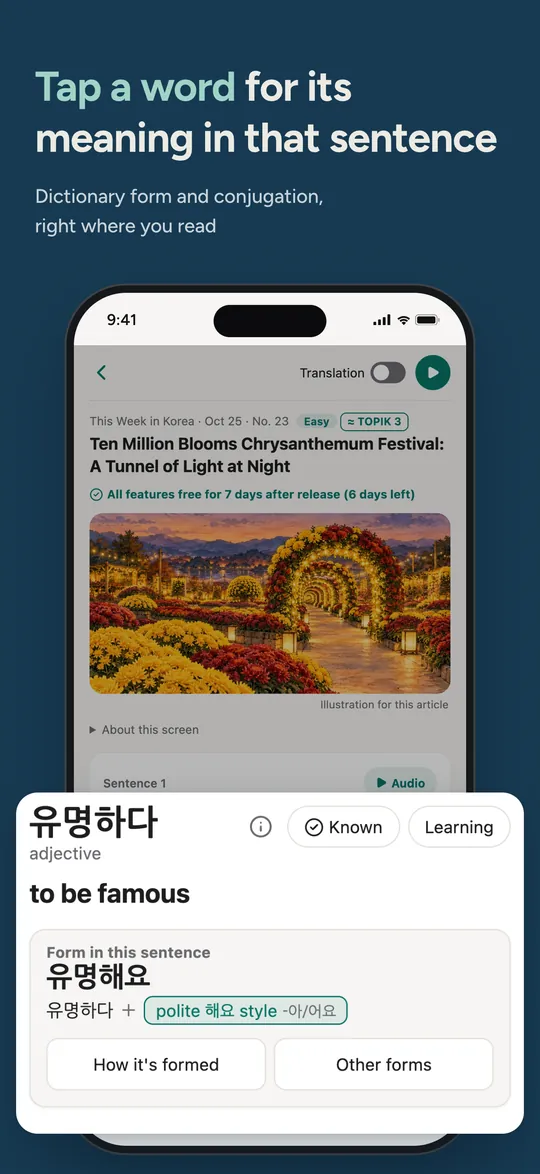
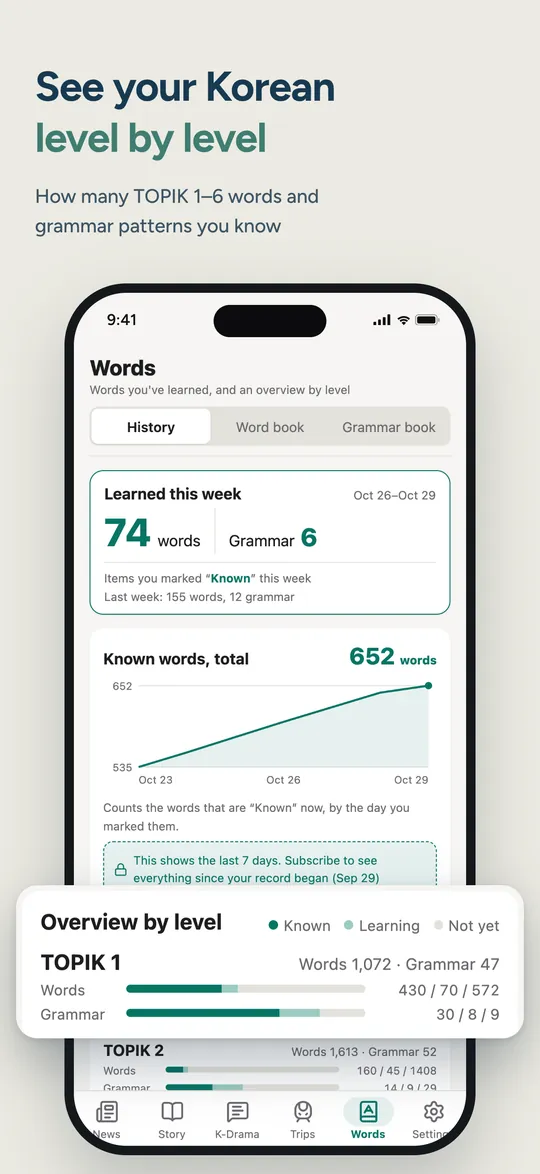
Switch between them with the tabs at the bottom of the screen. Every sentence comes with Korean audio.
News tab
Short Korean news stories we write from announcements by public bodies and widely reported facts. Each comes in two levels, Easy and Standard (news style); switch between them at the top of the list.
K-Drama tab
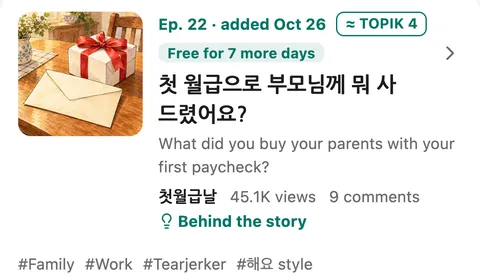
Short fictional dramas written in the style of Korean online forums: advice posts and real-life stories, comment threads and all. Internet Korean such as ㅋㅋ appears just as it's written online, and each writer has their own voice in the audio. With “Browse by tag” you can pick stories by setting, mood or the kind of Korean in them.

Trips tab
Kai, a Japanese student living in Korea, rides the KTX to cities around Korea and discovers the local food and way of life. The stories are fiction; the facts in them are collected, with sources, in the Travel notes.
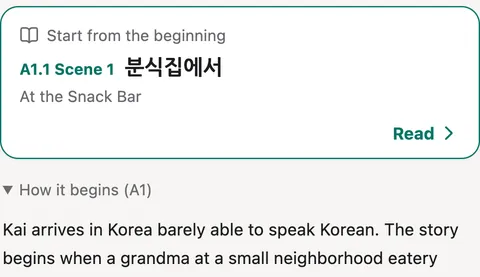
Story tab
The story of Kai, a student who has just started living in Korea, told in short conversations (A1–A2). Read it one scene at a time. Every feature is free in the app.
Each piece has a level badge, “≈ TOPIK n,” in the list and at the top of the text. It means you can read about 90% of the text with the words and grammar up to that level (names of people and places, and the topic words of the piece, aren't counted). It's a rough guide, not an official TOPIK rating. Start with pieces near your level, and move up when they feel easy.
If you're just starting Korean, begin with the first scene of Kai's Journey (≈ TOPIK 1).
Read without the translation, and open help only where you get stuck. That's the basic flow.
If you look at the translation first, it's hard to tell whether you read the Korean or the English. That's why translations open one sentence at a time, only when you need them.
To listen to a whole piece, tap ▶ (Play all) at the top right. The sentences play in order, starting from the one at the top of your screen, and the sentence being played is highlighted. Stop, previous sentence and next sentence are on the bar that appears at the bottom. Once you understand a piece, try listening to it once more from start to finish.
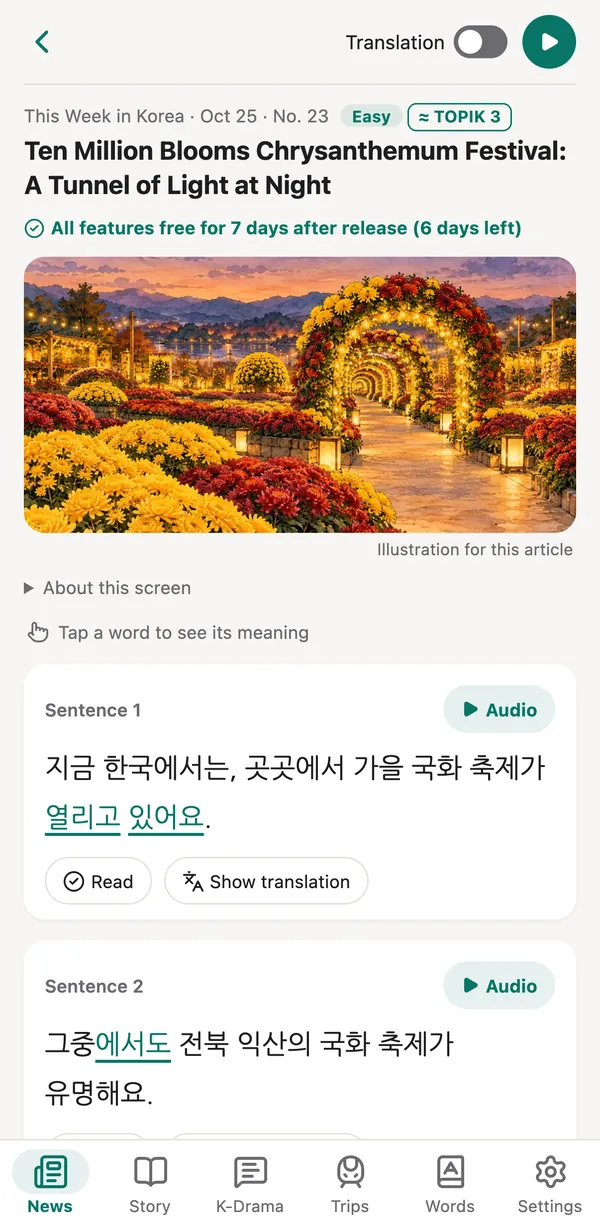
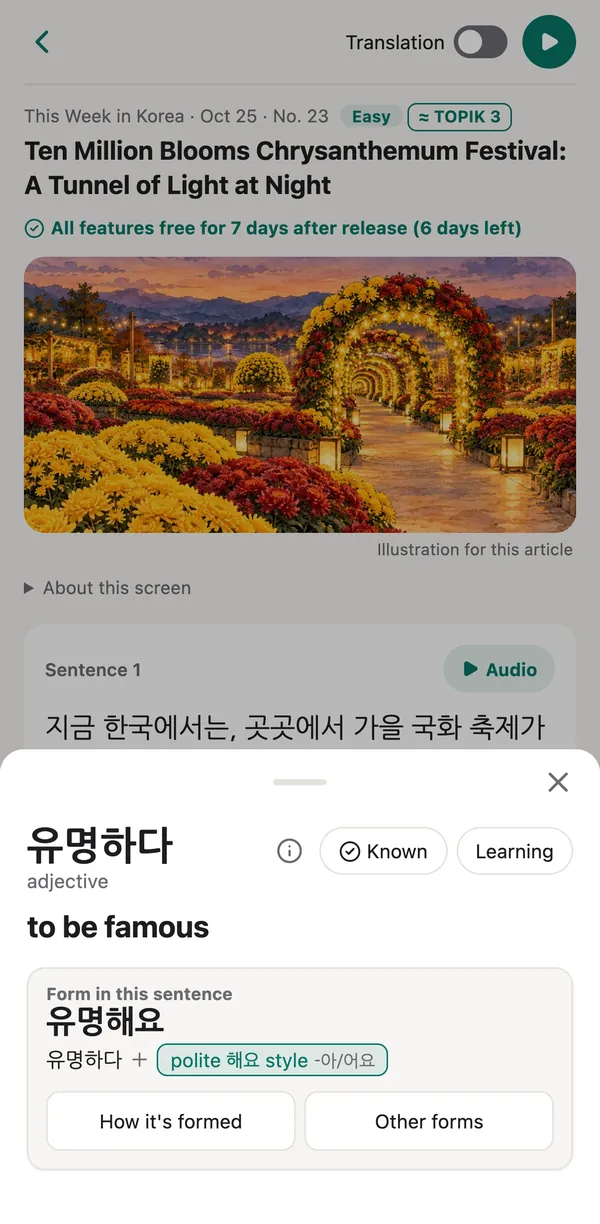
Tap a word and its details open from the bottom of the screen.
Underlined parts are grammar patterns. Tap one to see its meaning and an explanation.
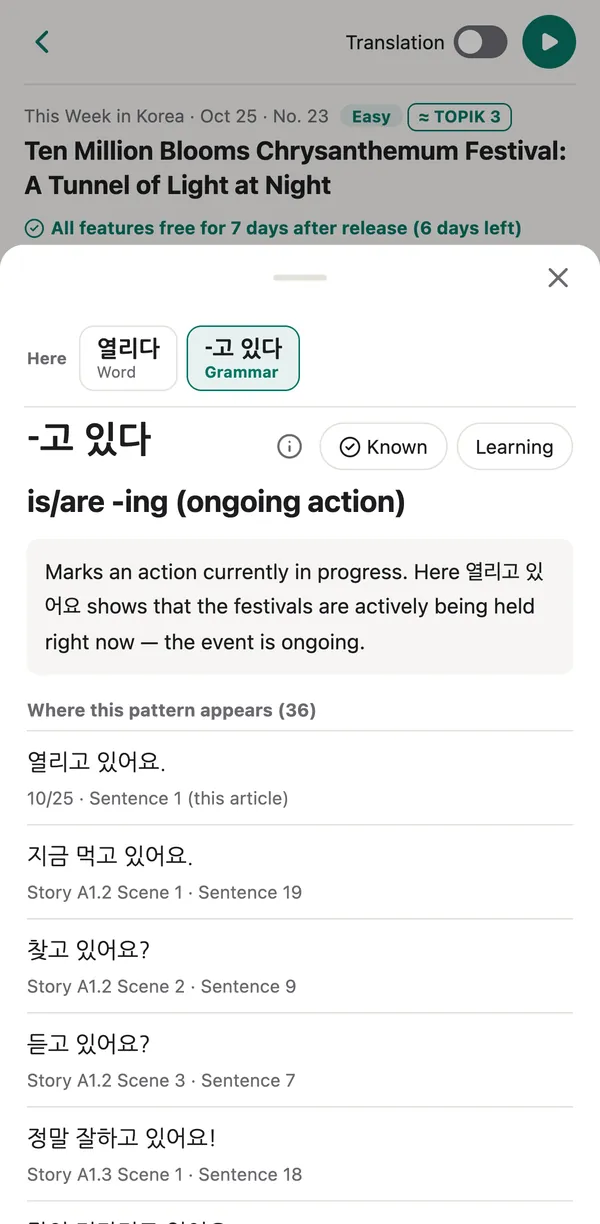
You can mark words and grammar patterns yourself, with the two buttons at the top right of the details. In the iPhone app, you can also mark everything in a sentence at once with “Read.”
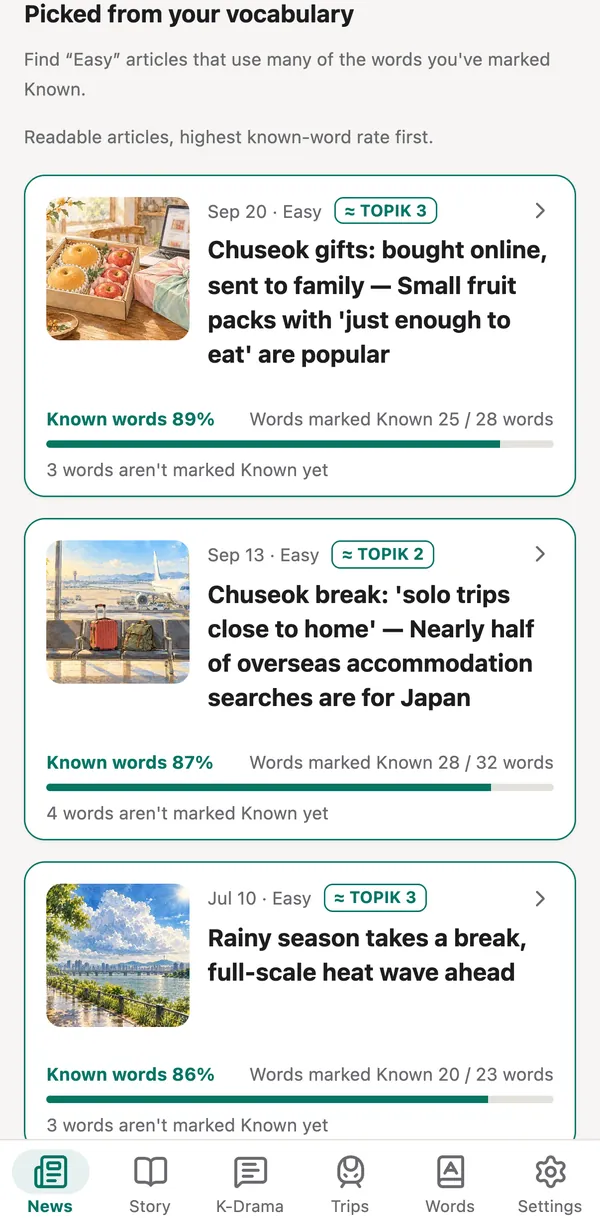
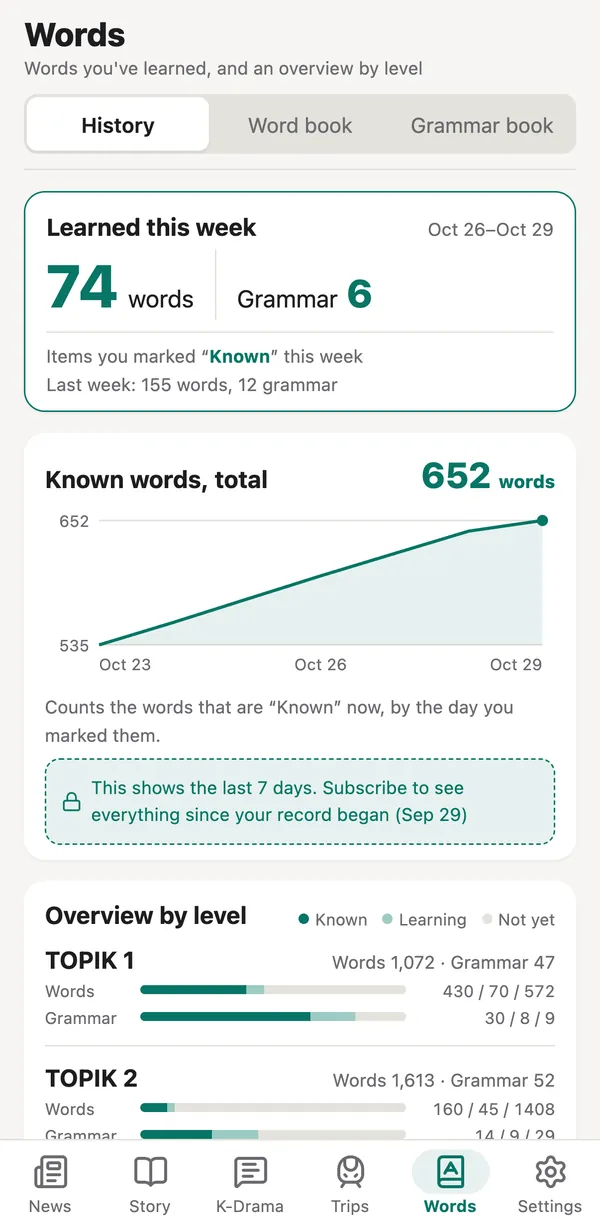
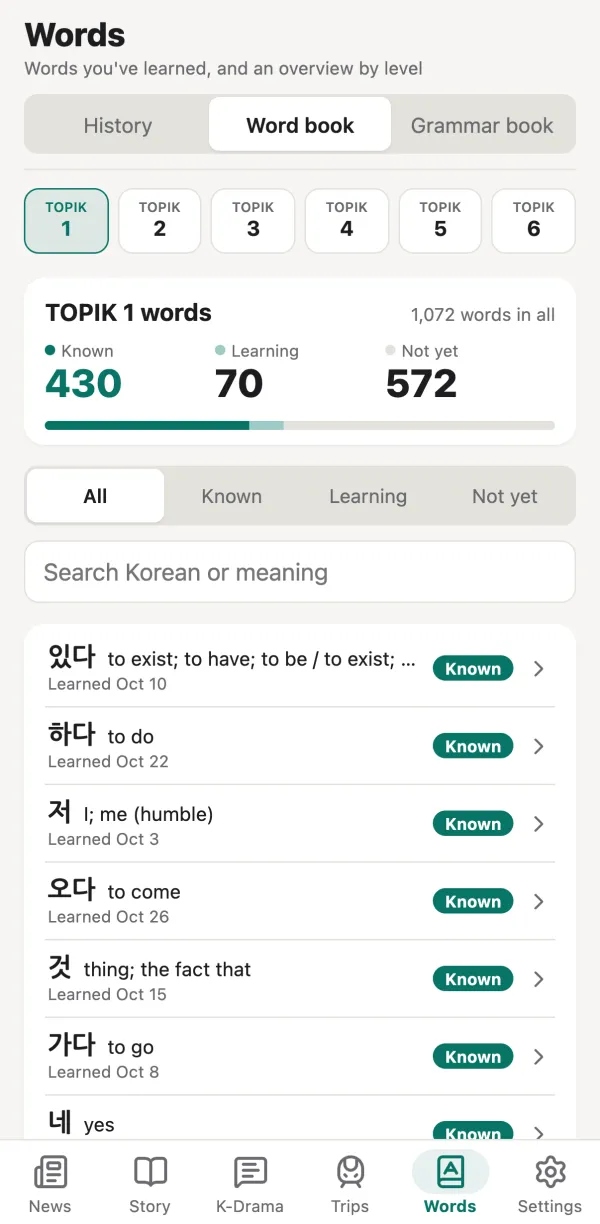
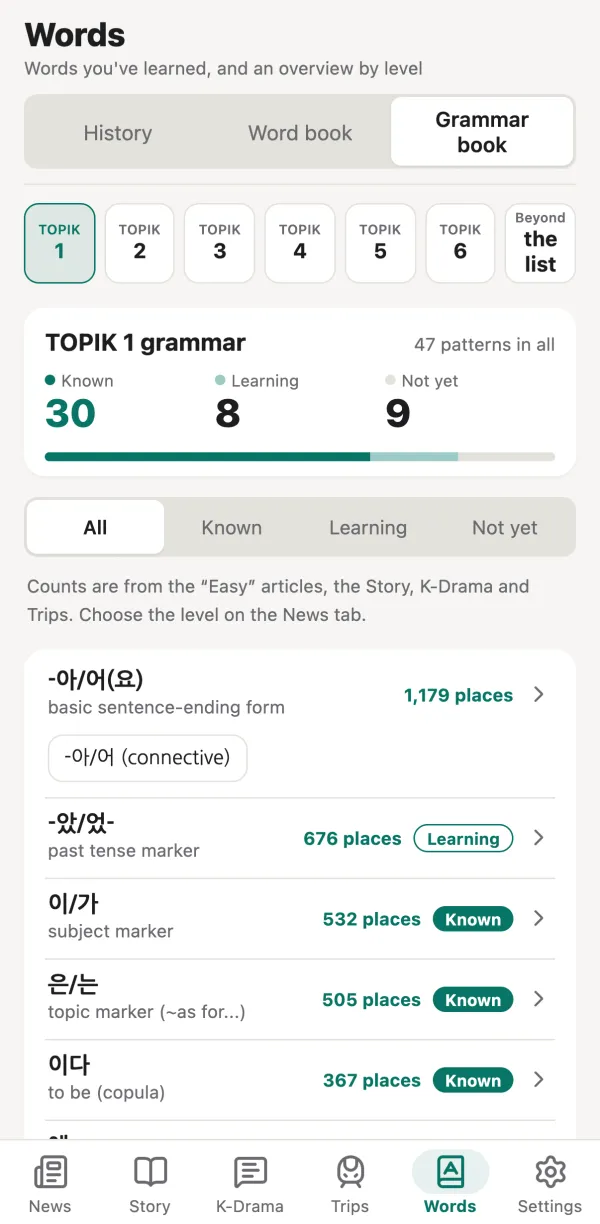
The Words tab at the bottom of the iPhone app shows the words you've marked, by level. Even when you read every day, it's hard to see how many words you've picked up. Here you can check it as numbers for each level.
You set the marks yourself, so the numbers are a record of how well you feel you know the words. The Words tab is a feature of the iPhone app.
We also suggest listening again to sentences you now understand (Listen all the way through).
In the iPhone app, the Korean text and audio of every episode are free. On top of that, every feature is free for 7 days after an episode comes out.
| Feature | First 7 days | After 7 days |
|---|---|---|
| Korean text and audio (Play all) | Free | Free |
| “Read” (“Got it” on the web), marks, known-word rate, level badges | Free | Free |
| Translations, word and grammar notes | Free | Subscription |
| Behind the story, Travel notes | Free | Subscription |
The Words tab in the iPhone app is split this way instead of by episode:
| Words tab | Free | Subscription |
|---|---|---|
| Marking words, overview by level | All | — |
| History of words you've learned | Last 7 days | Before that |
| Word book and Grammar book | Level 1 | Levels 2–6 |
Word and grammar details also link to sentences in other episodes; if a sentence is in an episode older than 7 days, it opens with a subscription. In episodes older than 7 days, the meanings of level 2 and higher words in the “Read” list also come with a subscription. Kai's Journey is free with every feature, including older scenes. On the web version, the Grammar index tab at the bottom is a subscription feature.
Browser
Opens right away in your browser, on a computer or an Android device too. You can read episodes from the last 7 days, with every feature free.
Open the web versioniPhone
Read every episode, and see the words you know by level in the Words tab. Get a notification when new episodes come out, and read episodes you've opened even when you're offline. Subscriptions also start in the app.
View on the App Store“Read” (“Got it” on the web) and your marks are kept on each device. If you mostly read on one device, your records stay in one place.
No. You can start reading without a name or an email address. Subscriptions go through your Apple ID on your iPhone.
The iPhone app is on the App Store in many countries and regions, but not all of them yet. Where it isn't available, you can read in your browser with the web version.
Use the web version in your browser. An Android app is in the works.
New episodes come out at 8:00 a.m. Japan time (JST). In the iPhone app, turn on “Notify me about new episodes” in Settings to get a notification when they're out.
Yes. The app is in English unless your device or browser is set to Japanese, and you can switch in Settings › Language, in both the iPhone app and the web version. A few features are only in the Japanese display, such as a sentence structure view that relies on Korean and Japanese having almost the same word order.
OtoOi writes them. The news stories are based on announcements by public bodies and widely reported facts. K-Drama Next Door and Kai's Train Trips are fiction; the facts in the travel stories are collected, with sources, in the Travel notes.
When a sentence's translation is open, tap “Report an error” below it. It opens an email with that sentence included. We check every report and fix what's wrong.
Email us at support@otooi.com.
Start with this week's episodes.
This page reflects the app as of October 27, 2026.